
Image to JSON
Photos in. JSON out.
Upload a photo or a scan of a receipt, an invoice or a letter, forward it by e-mail or send it to the API. Parsevix reads the image and returns the data as JSON, in your own fields or named with the document's own labels. Try it with the real documents in the demo.
- Phone photos and scans
- JPG, PNG and TIFF
- Your own fields, or no schema at all
No credit card · 20 free pages every month
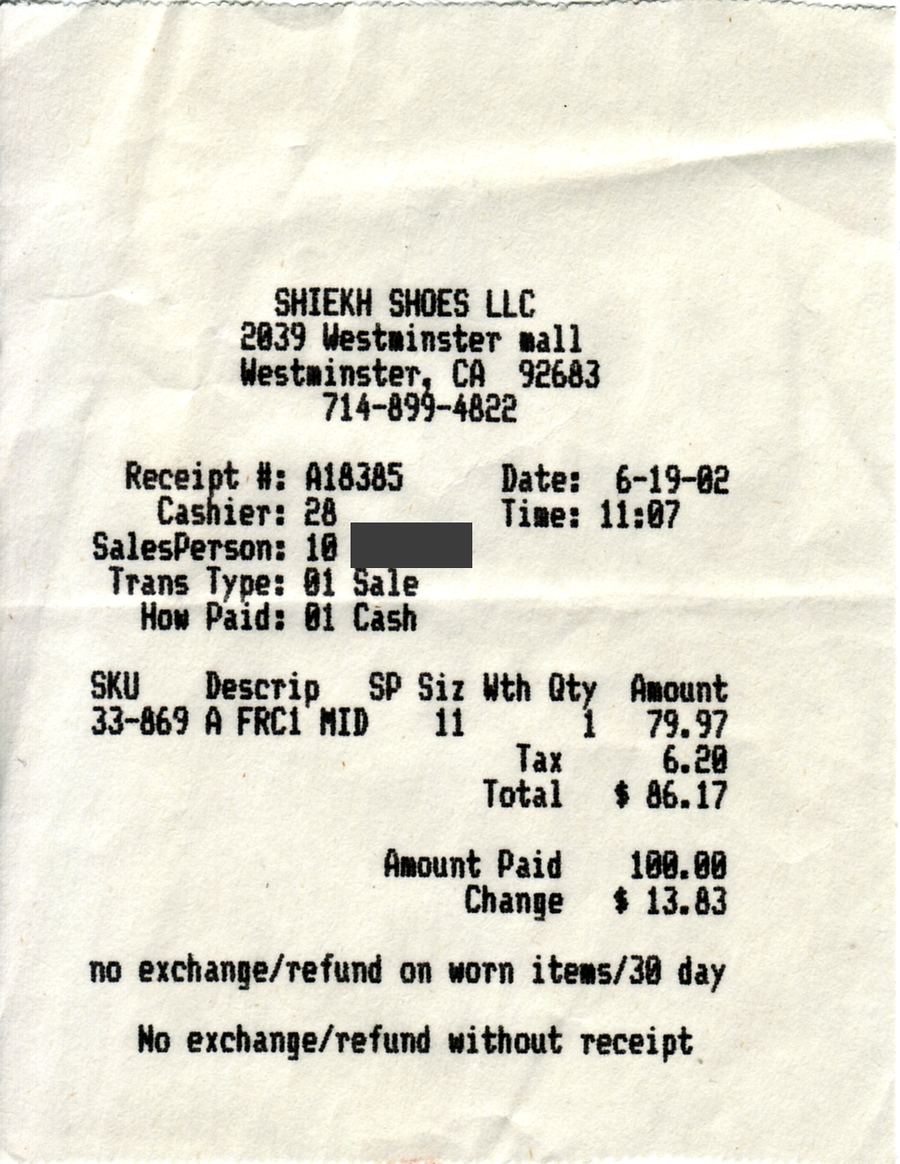
We blacked out the names of private persons. Nothing is uploaded: the demo replays the stored result.
Two ways to shape the JSON
Your schema, or none at all.
The same document can come back in the fields you defined, or in the fields it has. Pick per upload, per e-mail address or per API call.
With a category
Name the fields you need once, or start from a built-in category such as Invoice or Contract. Every document of that kind comes back in the same shape, with ISO dates and plain numbers.
- invoice_number
- invoice_date
- seller_info
- line_items
- total_due
- currency
Built-in categories for invoices, receipts, contracts, IDs and more; your own for everything else.
Without a schema
Send the document without a category and get every field Parsevix finds, named with the document's own labels and in its language, values as printed. The demo above works this way.
The start of the shoe-shop receipt's result, as it came back.
How an image is read
From a photo to fields.
Receipts photographed at the till, letters snapped on a desk, faxes and scans: images come in every quality. This is what Parsevix does with them.
Read line by line
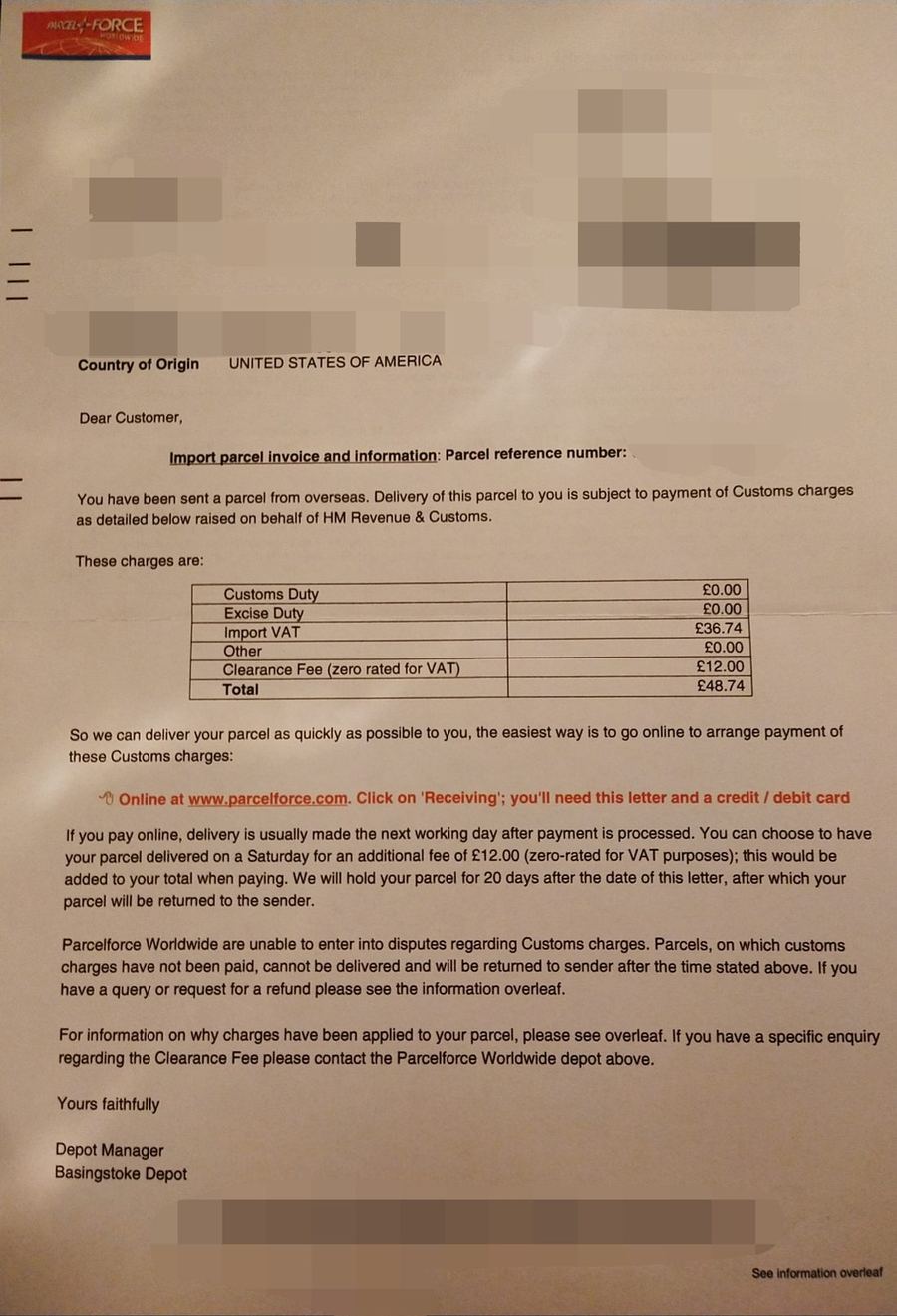
Parsevix finds every line of text on the image, reads it and detects its language, then extracts the fields from those lines. The boxes show the lines it read on the customs charges letter in the demo, a phone photo of an A4 page.
- 02
JPG, PNG and TIFF
Up to 10 MB per file. A multi-page TIFF is read frame by frame, each frame as a page. HEIC and WebP aren't accepted yet: save them as JPG first.
- 03
Pages turned upright
A page photographed sideways or upside down is turned before it is read, in quarter turns. A slightly tilted photo is read as it is.
- 04
Good photos read best
Sharp, flat and well lit works best. Faded thermal paper and blurred photos can come back with misread values, so check those results.
- 05
Many languages and scripts
Latin, Cyrillic, Greek, Arabic, Chinese, Japanese and Korean script among others; the language is detected on every page.
- 06
Personal data masked
Names, addresses and numbers are masked automatically before any text goes to the AI model and put back in your result. Detection catches most personal data, not necessarily every item.
- 07
Every value linked to its spot
Each value is linked to the spot on the image it came from. Click it in the dashboard to see where it was printed.
How images get in
Upload them, forward them or send them from your system.
Dashboard
Drop photos and scans into the dashboard, one at a time or many at once. Check each result next to its image and approve it.
E-mail address
Paid plansEvery project gets its own address. Forward photos to it, and each attachment becomes a document.
API
Send images from your app and get the JSON in the same response, or receive results by signed webhook or through Zapier.
Request
curl https://parsevix.com/api/v1/extract-auto \
  -H "X-API-Key: $PARSEVIX_API_KEY" \
  -F file=@receipt.jpg
The request stays open until the document is read and answers with the JSON.
- POST /documentsUpload without waiting; the result arrives by webhook or callback.
- POST /extract-autoNo category: every field Parsevix finds, named as in the document.
- POST /classifyOnly the document's category, for 1 credit.
Response · trimmed
Security & compliance
- PII maskedautomatically, before the AI step
- Encryptedin transit and at rest
- No AI trainingon your documents
- API files deletedafter processing
Priced per page, not per feature.
Every plan reads, sorts and masks documents the same way. Picking the category is included, and a document that fails costs nothing.
See pricing- credit per page
- 1
- free pages every month
- 20
- a month for 500 pages
- $39
Image to JSON FAQ
Image to JSON,
answered.
What people ask before they send their first photos.
JPG, PNG and TIFF, up to 10 MB per file. iPhone photos in HEIC and WebP images have to be saved as JPG first.
A photo you can read easily on screen usually reads well. Hold the camera straight above the document, avoid shadows and glare, and keep the whole page in the frame.
One file is one document. Photograph each receipt on its own, or they come back as one result.
Printed text works best. Handwriting is read where it is clear; what can't be read is left out, not guessed.
One credit per image, and one per frame of a multi-page TIFF. Choosing the category is included, and if a document fails, its credits are given back.
Images uploaded in the dashboard or sent by e-mail stay in your project until you delete them. Files sent through the API are deleted after processing unless you turn on keeping them for the project. Your documents are never used to train AI.
Related use cases